
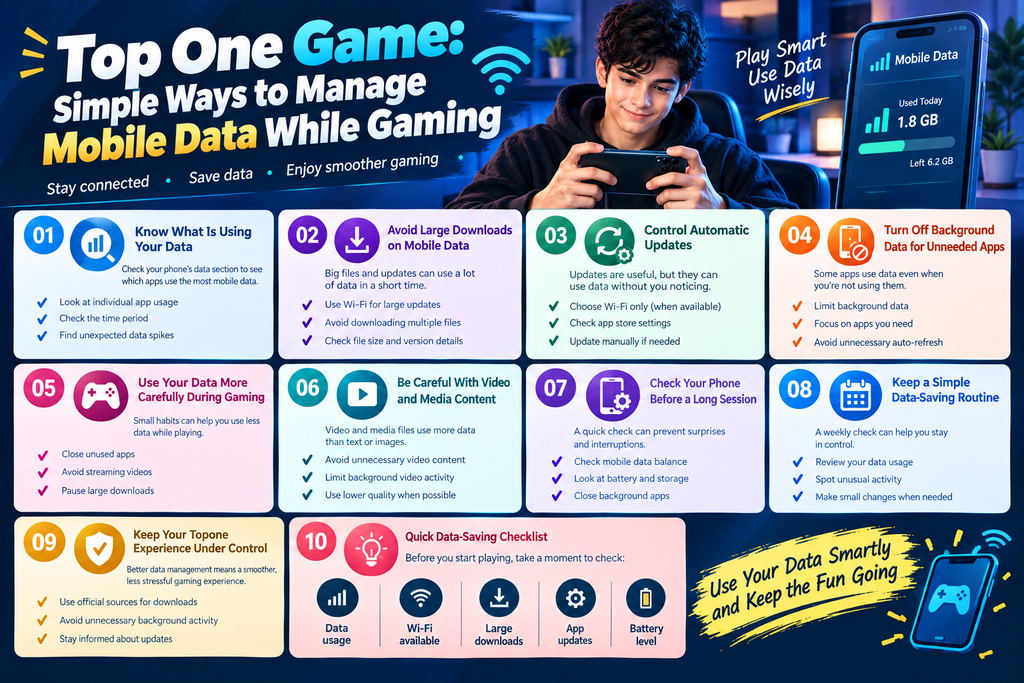
Mobile gaming does not always happen on Wi-Fi. Sometimes you may be away from home, traveling, or simply using your phone’s mobile data. In those situations, knowing how much data your apps use can help you avoid unwanted slowdowns or reaching your monthly limit too quickly.
The top one experience can be easier to manage when your phone is set up with a few simple data-saving habits. You do not need complicated settings. A little attention to downloads, updates, background apps, and game usage can make a noticeable difference.
Why Mobile Data Management Matters
A gaming app can use data for more than the game itself. Updates, background activity, images, account information, and other online features may also require an internet connection.
If you are using a limited mobile plan, small amounts of extra usage can add up.
Good data habits can help you:
- Keep track of your monthly usage
- Avoid unnecessary downloads
- Reduce background data
- Save mobile data for other apps
- Keep your phone more organized
- Enjoy a smoother gaming session
For a platform such as topone, understanding your phone’s data settings gives you better control over how the app works with your connection.
Know What Is Using Your Data
Before changing anything, check your phone’s mobile data section. Android devices usually show which apps have used the most data during a selected period.
This gives you a clearer picture instead of making random changes.
Look at Individual App Usage
Open your phone’s network or data settings and check the list of apps.
Pay attention to:
- Gaming apps
- Video apps
- Social media
- Automatic backup services
- App stores
- Browsers
You may discover that another app is using more data than your game. Knowing this can help you decide where changes are actually needed.
Check the Time Period
Most phones allow you to view data usage by billing cycle or custom dates.
Set the period to match your mobile plan when possible. This makes the numbers easier to understand and helps you notice unusual increases.
Avoid Large Downloads on Mobile Data
One of the easiest ways to use a lot of data is downloading large files while connected to mobile data.
An app may need an update, additional game files, images, or other resources. If the download is large, your data usage can increase quickly.
When possible, use Wi-Fi for:
- Major app updates
- Large game files
- System updates
- Backup files
- Multiple app downloads
This is especially useful when preparing your topone apk or updating an existing installation. Always use a trusted source and review the file information before installing anything.
Control Automatic Updates
Automatic updates are useful because they keep apps current. However, they can also happen when you are using mobile data.
Check your app store settings and look for options related to automatic downloads or updates.
Depending on your device, you may be able to choose:
- Wi-Fi only
- Any available network
- Manual updates
Using Wi-Fi for large updates can help you keep better control over your monthly data.
Turn Off Background Data for Unneeded Apps
Your gaming session is not the only activity happening on your phone.
Some apps continue using internet data in the background even when you are not actively using them. Social networks, cloud services, news apps, and other programs may refresh content automatically.
You can review background data settings and limit apps that do not need constant internet access.
This does not mean you need to block everything. Focus on apps that are using data without providing much value during your normal day.
Use Your Data More Carefully During Gaming
Small habits can make mobile gaming more data-friendly.
Try these simple steps:
- Close apps you are not using
- Avoid streaming videos at the same time
- Pause large downloads
- Check data usage after longer sessions
- Use Wi-Fi when available
- Keep automatic downloads under control
If you are playing the top one game while another app is downloading a large file, your connection is being used for two different jobs. Finishing the download later may give you a cleaner experience.
Be Careful With Video and Media Content
Gaming platforms may include images, banners, videos, or other media. Video usually requires more data than simple text or static information.
If you are trying to reduce mobile data use, avoid opening unnecessary video content while playing.
You can also limit background video activity in other apps. This can save more data than making small changes to the game itself.
Check Your Phone Before a Long Session
A quick check before playing can prevent surprises.
Look at your:
- Remaining mobile data
- Battery level
- Connection type
- Active downloads
- Background apps
- Available storage
This takes only a minute.
If your phone is already close to its monthly data limit, you can switch to Wi-Fi before downloading anything large. The same habit can help when checking a top one apk download or preparing an update.
Keep a Simple Data-Saving Routine
You do not need to monitor your data every few minutes. A simple weekly check is usually enough for basic awareness.
For example, you can review your data usage once a week and ask:
- Which app used the most data?
- Did any large download happen?
- Are automatic updates enabled?
- Are background apps using too much data?
- Is your current plan still suitable for your normal usage?
These questions can help you spot changes before they become a bigger issue.
Make Small Changes First
Do not change every setting at once.
Start with one or two simple adjustments, such as using Wi-Fi for large updates or restricting background data for an app you rarely use.
Then check your usage again later.
This makes it easier to understand which changes actually helped.
Keep Your Topone Experience Under Control
Good mobile data management is not about avoiding the internet completely. It is about knowing where your data goes and using it when it matters.
The top one platform can be easier to use when your phone is not busy with unnecessary downloads and background activity. Simple settings can help you stay aware of your connection without making your daily gaming experience complicated.
The same approach can also help when using the topone app, checking new platform features, or preparing a topone game download.
Final Thoughts
Mobile data can disappear quickly when several apps are working at the same time. Checking usage, controlling automatic updates, avoiding large downloads on mobile data, and limiting unnecessary background activity can give you much better control.
Before your next top one game session, take a quick look at your connection and current data usage. A few small changes can help you use your mobile plan more wisely while keeping your gaming setup simple and ready to use.