
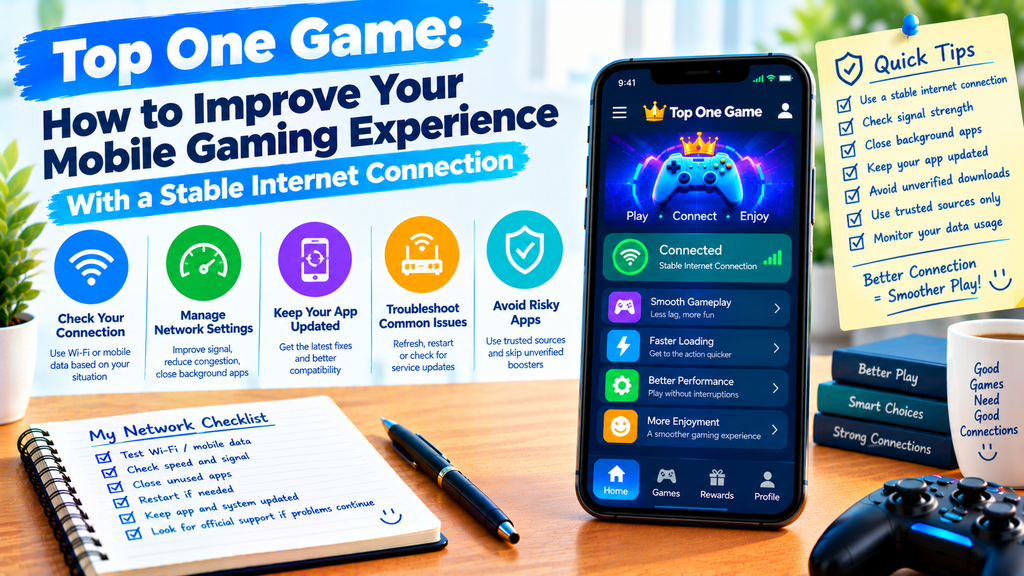
A mobile game can become frustrating when pages take too long to load, connections drop, or actions do not respond as expected. Sometimes, the problem is not the game itself but the internet connection being used by your phone.
When using Top One Game, understanding basic network conditions can help you identify connection problems and choose practical ways to address them. A few simple checks can make it easier to tell whether the issue comes from your Wi-Fi, mobile data, or the app.
This guide explains how internet stability affects mobile gaming, what can interrupt a connection, and how to troubleshoot common network problems when using topone, topone game, or other mobile apps.
Why a Stable Connection Matters
Internet speed and connection stability are related, but they are not the same. A connection may offer good download speeds and still experience brief interruptions that affect an online game.
Three factors are worth understanding:
- Speed: How quickly information can travel between your phone and the internet.
- Latency: How long information takes to travel between your device and a server.
- Stability: How consistently the connection works without interruptions.
For some games, a short delay may have little effect. For others, repeated delays or lost connections can interrupt important actions.
That is why simply choosing the fastest available network does not always solve every problem. A consistent connection can be just as important as a high speed.
Choose the Connection That Works Best for You
Your phone may connect through Wi-Fi or mobile data. Neither option is always better because performance depends on signal strength, network traffic, your location, and the equipment being used.
When Wi-Fi Is a Good Choice
Wi-Fi can be useful when you are at home, in an office, or somewhere with a reliable wireless network.
To improve your connection:
- Stay within a reasonable distance of the router.
- Avoid placing the router behind thick walls or large metal objects.
- Reduce unnecessary network activity when the connection is struggling.
- Check whether other devices are using a large amount of bandwidth.
- Restart the router if several devices experience connection problems.
If Wi-Fi works well in one room but poorly in another, distance or physical obstacles may be affecting the signal.
When Mobile Data May Work Better
Mobile data can be helpful when Wi-Fi is unreliable or unavailable. However, performance depends on cellular coverage, network congestion, and your data plan.
If the connection keeps dropping, try moving to a location with a stronger signal. You can also compare performance in another nearby area.
Remember that switching to mobile data may use your available data allowance. If your plan has limits, keep an eye on usage while using online apps.
Identify the Source of Connection Problems
Before changing several settings, determine whether the problem affects one app or your entire phone.
Check Other Online Services
Open a trusted website or another app that needs internet access. If those services also struggle, the issue may involve your network rather than Top One Game alone.
If other apps work normally, the problem could be related to the game, its servers, or a specific feature.
This simple comparison helps narrow down the possible cause without making unnecessary changes.
Watch for Repeated Disconnections
A connection that works briefly and then drops may point to weak coverage, network congestion, or a problem with the router or mobile network.
Notice when the issue occurs. Does it happen only in one room, at a particular time, or whenever you switch between Wi-Fi and mobile data?
These patterns can provide useful clues when deciding what to check next.
Make Simple Changes Before Trying Advanced Fixes
You usually do not need special software to investigate a basic connection issue. Start with a few safe steps.
Refresh the Connection
Turn Wi-Fi off and back on, or briefly disconnect and reconnect to your mobile network. This can resolve some temporary connection problems.
If the issue continues, close the game and reopen it. Check whether the connection improves before trying anything more complicated.
Restart Your Phone When Needed
A restart can clear temporary device problems that affect network connections or app behavior.
After the phone starts again, reconnect to your network and test the app. If the issue remains, check whether other devices on the same network have similar problems.
Keep the App and Phone Updated
Updates may include fixes for compatibility or performance problems. Check for app updates through a trusted distribution source and install relevant phone system updates when appropriate.
If you use a topone apk file, be especially careful about where you obtain updates. Avoid downloading replacement files from unfamiliar websites simply because they promise better internet performance.
An app update cannot fix every network issue, but using a supported version can help rule out some software-related causes.
Understand Why Internet Speed Can Change
Network performance is not always constant. A connection that works well in the morning may become slower when more people are online.
Several factors can affect your experience:
- Network congestion: Many users are sharing the same network resources.
- Weak signal: Your phone has difficulty maintaining a strong connection.
- Background downloads: Other apps are using bandwidth.
- Router problems: The wireless equipment may need attention.
- Service interruptions: Your internet provider or the app’s server may be experiencing a problem.
Try to change one factor at a time. For example, pause a large download and test the game again. This makes it easier to understand whether that activity was affecting performance.
Avoid Apps That Promise Instant Network Improvements
You may come across applications that claim to boost internet speed or eliminate all lag. Be careful with promises that sound too good to be true.
An app cannot automatically remove every problem caused by weak coverage, network congestion, or a distant server. Some tools may provide useful network information, but others may request unnecessary permissions or display misleading claims.
You generally do not need to install an unknown application just to test whether your connection works.
For a top one game download, use a trusted source and avoid modified files advertised as network boosters. Protecting your device is more important than trying an unverified shortcut.
Know When the Problem Is Outside Your Control
Sometimes, your phone and home network are working properly, but the online service itself is unavailable.
If only one game has connection problems, check its official announcements or support information when available. A server outage or maintenance period may explain why the app is not responding.
Avoid repeatedly changing your phone settings when there is evidence of a wider service problem. Wait for reliable information and try again later.
If several devices lose internet access, contact your internet or mobile service provider when necessary.
Final Thoughts
A reliable connection can make mobile gaming smoother, but connection problems can have several causes. Weak signals, busy networks, background downloads, and temporary service interruptions may all affect performance.
When using Top One Game, begin by checking other online services, comparing Wi-Fi with mobile data, and refreshing the connection. Make changes gradually, and avoid unverified apps that promise instant fixes.
With a simple troubleshooting approach, you can identify common network problems more clearly and spend less time changing settings that do not address the real issue.
Frequently Asked Questions
1. Why does my mobile game keep disconnecting?
Possible causes include weak signals, network congestion, router problems, or temporary server interruptions. Check other online services to help identify the source.
2. Is Wi-Fi always better than mobile data for gaming?
No. A reliable Wi-Fi connection can work well, but strong mobile data may perform better in some locations. Compare both options where possible.
3. Does a faster internet plan always reduce lag?
Not necessarily. Lag can also result from latency, unstable connections, or server problems. Download speed is only one part of network performance.
4. Should I install a network booster app?
Be cautious. Many connection problems cannot be fixed by an app, and unverified tools may introduce privacy or security risks.
5. What should I do if only one game cannot connect?
Check whether the app is updated, test other online services, and look for official service announcements. If the issue continues, consult the game’s support resources.