
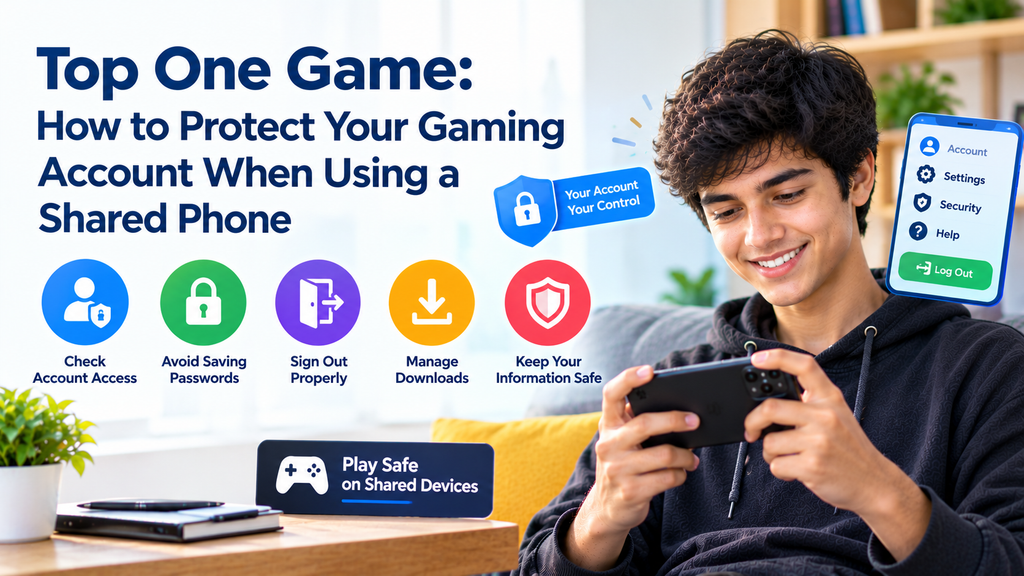
Using a phone that belongs to a family member, friend, or coworker can be useful when your own device is unavailable. However, shared phones need extra care, especially when an app stores account details, personal settings, or private information.
For users of Top One Game, understanding how to handle account access on a shared device can help prevent unwanted changes and protect personal details. A few simple habits can make it easier to use an app without leaving private information behind.
This guide covers account access, saved passwords, logout habits, browser information, and other steps that help keep a shared phone safer.
Why Shared Phones Need Different Safety Habits
A personal phone usually stays under one person’s control. A shared phone may pass between several people, and each person might use different apps or settings.
That creates a few risks. Someone could open an account that was left signed in, view saved information, or change settings without realizing whose account they are using.
Understand What the Phone Saves
Apps and browsers may remember information to make future visits easier. Depending on the device and settings, this may include:
- Saved login details
- Website history
- Downloaded files
- App preferences
- Account names and email addresses
- Notifications displayed on the screen
Not every app stores the same information. Before using topone, check whether you are using the app itself or accessing a service through a browser. Each may handle account details differently.
Separate Your Account From Someone Else’s
Never assume that a shared phone has been cleared just because the home screen looks empty. The previous user may still be signed in to an app or website.
Before entering your details, check the account name or profile shown on the screen. If another person’s account is open, sign out properly before continuing.
Sign In Carefully on a Shared Device
Account access deserves extra attention when a phone is used by more than one person. A small mistake, such as saving a password on someone else’s device, can create problems later.
Avoid Saving Passwords on Shared Phones
When a browser or app asks whether you want to save your login details, choose the option that does not store them if you are borrowing the phone.
Saved passwords can make future sign-ins easier, but they may also allow another person to access the account. This is especially important if the phone does not have separate user profiles.
If you accidentally save a password, remove it from the appropriate password manager or browser settings. Do not rely on simply closing the browser.
Check the Account Before Continuing
Before using Top One Game, confirm that the displayed account belongs to you. Look for the profile name or other account information provided by the service.
If the account is unfamiliar, do not change its settings or attempt to access its private information. Sign out and ask the device owner to help resolve the situation.
Keep Verification Codes Private
Some services use one-time codes to confirm account access. These codes should only be entered into the genuine sign-in process that you started.
Do not send verification codes to another person or leave them visible on the screen. If a message arrives while you are borrowing a phone, avoid opening private messages that do not belong to you.
What to Do Before Returning the Phone
Logging out is important, but it is not the only step. A shared phone may retain information even after you leave an app.
Sign Out of the Account
When you finish using the service, open its account menu and select the normal sign-out option if one is available.
Wait until the app returns to its signed-out screen. Simply closing the app or switching to another application may leave your account active in the background.
If you used a browser, check that the account is signed out there as well. Signing out of an app does not necessarily sign you out of a separate website.
Review Files and Browser Activity
If you downloaded a file or opened a private page, check whether anything needs to be removed from the borrowed device.
Pay attention to:
- Files saved in the Downloads folder
- Screenshots containing account details
- Browser tabs left open
- Pages showing personal information
- Passwords accidentally saved by the browser
Remove only your own private files. Avoid deleting the owner’s documents or changing settings that belong to someone else.
Check Notifications and Open Screens
Before handing the phone back, close pages that display your account information. If you received private notifications, make sure they are not left open for the next person to read.
You can also check the recent-apps screen to make sure your account page is no longer visible. Remember that removing an app preview does not always sign you out, so complete the logout process first.
How to Handle Downloads on a Shared Phone
Downloads require care because files can remain on a device long after the browser or app has been closed.
Verify the Source Before Installing
If you need a topone apk or another Android installation file, check the source carefully before downloading it. Use a trusted, verified source and confirm that the file is intended for your device.
Do not install a file just because it appears in the Downloads folder. Someone else may have saved it, and its name alone does not prove that it is safe.
Avoid Changing the Owner’s Security Settings
Some installation processes ask users to allow apps from certain sources. On a borrowed phone, do not change these settings without permission from the owner.
If the installation requires a security change, ask the owner to review the request. Once a task is complete, make sure any temporary change is handled properly.
Do Not Leave Installation Files Behind
When you finish, check whether you still need the downloaded file. If it contains private information or is no longer needed, remove your own copy.
Be careful not to delete files that belong to the phone’s owner. If you are unsure which files are yours, ask before removing anything.
Extra Protection for Your Personal Account
Good shared-device habits work best when your account also has basic security protections.
Use a Strong, Unique Password
Choose a password that is difficult to guess and is not reused across multiple services. Avoid simple combinations based on your name, birthday, or common number patterns.
If you think someone may have seen your password, change it from a device you trust. If the service supports additional account verification, consider enabling it.
Review Account Activity When Available
Some services provide a page showing recent sign-ins or active sessions. If this option is available, review it after using a shared device.
Look for unfamiliar activity and follow the service’s official instructions if something seems wrong. Do not assume every service offers the same account controls.
Be Careful With Automatic Sign-In
Automatic sign-in can be convenient on your own phone, but it may be unsuitable on a device that other people use. Check the app and browser settings before enabling this feature.
If you regularly borrow phones, signing in only when needed and signing out afterward can reduce the chance of leaving an account open.
Final Thoughts
Using a shared phone does not have to mean giving up control of your personal information. The key is to check whose account is open, avoid saving passwords, sign out properly, and remove private information that you no longer need on the device.
When using Top One Game, treat a borrowed phone differently from your own. Take a moment to check account access before starting and review the screen before returning the device. These simple steps can help protect your privacy while respecting the phone owner’s information.
Frequently Asked Questions
1. Can I use Top One Game on someone else’s phone?
That depends on the service’s rules and available access methods. If you use a borrowed phone, get the owner’s permission and protect your login details.
2. Is closing the app enough to protect my account?
Not always. The app may keep your account signed in. Use its normal sign-out option and check any browser session you used.
3. Should I save my password on a friend’s phone?
It is safer not to save passwords on a device that other people use. If you accidentally save one, remove it from the relevant password manager or browser settings.
4. What if I forget to sign out?
If you can access the account from a trusted device, check whether the service offers a way to end other sessions. Change your password if you suspect someone accessed your account.
5. Should I delete every file after using a shared phone?
No. Remove your own unnecessary or private files, but do not delete files that belong to the phone’s owner. Ask if you are unsure which files you can safely remove.